Set up your agency credentials
beginner ⏱ ~10 min Updated May 15, 2026
1. Open Settings → Credentials
Click Smart Gallery Hub (top-left) → Settings.
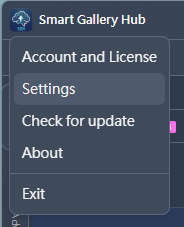
In the sidebar, click Credentials.
2. Adobe Stock
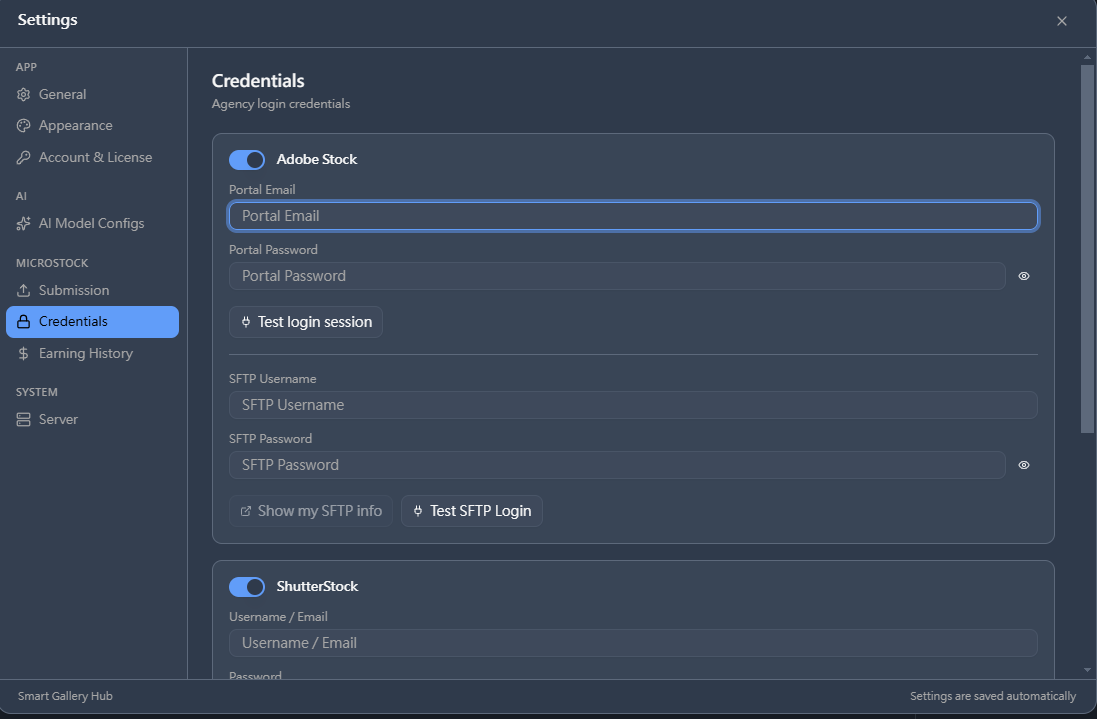
- Toggle Adobe Stock on.
- Fill Portal Email + Password → click Test login session.
- Fill SFTP Username + Password → click Test SFTP Login.
Two green checks = done.
3. Shutterstock
- Toggle ShutterStock on.
- Fill Username / Email + Password → click Test login session.
4. Getty / iStock
- Toggle Getty on.
- Fill ESP Username + Password → click Test login session.
5. Submit
Back in the workspace, tick your images → Operate → Adobestock / Shutterstock / Getty.